Read only
It can look things up, but change nothing.
- Find customers and what they own
- Read campaigns and automations with their figures
- Query sales, MRR, licensing and email analytics
Look things up
NewAI assistants over MCP
Draft campaigns, build segments and create automations from the assistant you already use.
Moonbase assistant
ConnectedDraft a win-back email with a personal 25% upgrade coupon.
1,284 customers match · Draft saved
Email preview · Maya Lind

Hi Maya,
meet Helios 2.0
A new wavetable engine and an MPE-ready mod matrix. Here's 25% off your upgrade, just for you.
Your personal code
HELIOS-7K2Q
25% off your Helios 2.0 upgrade
Saved as a draft. You decide when it sends.
What you can ask it to do
Your assistant works with the same campaigns, segments and automations you build in Moonbase. Ask in plain words, check what it made, and carry on in the app or in the conversation. Campaigns and automations it writes start as drafts.
Campaigns
“Write a campaign for Helios owners about version 2.0, with a 20% upgrade coupon for each of them. Show me the email, then schedule it for Tuesday morning.”
create_campaignpreview_campaignget_campaign_audience send_test_campaignschedule_campaign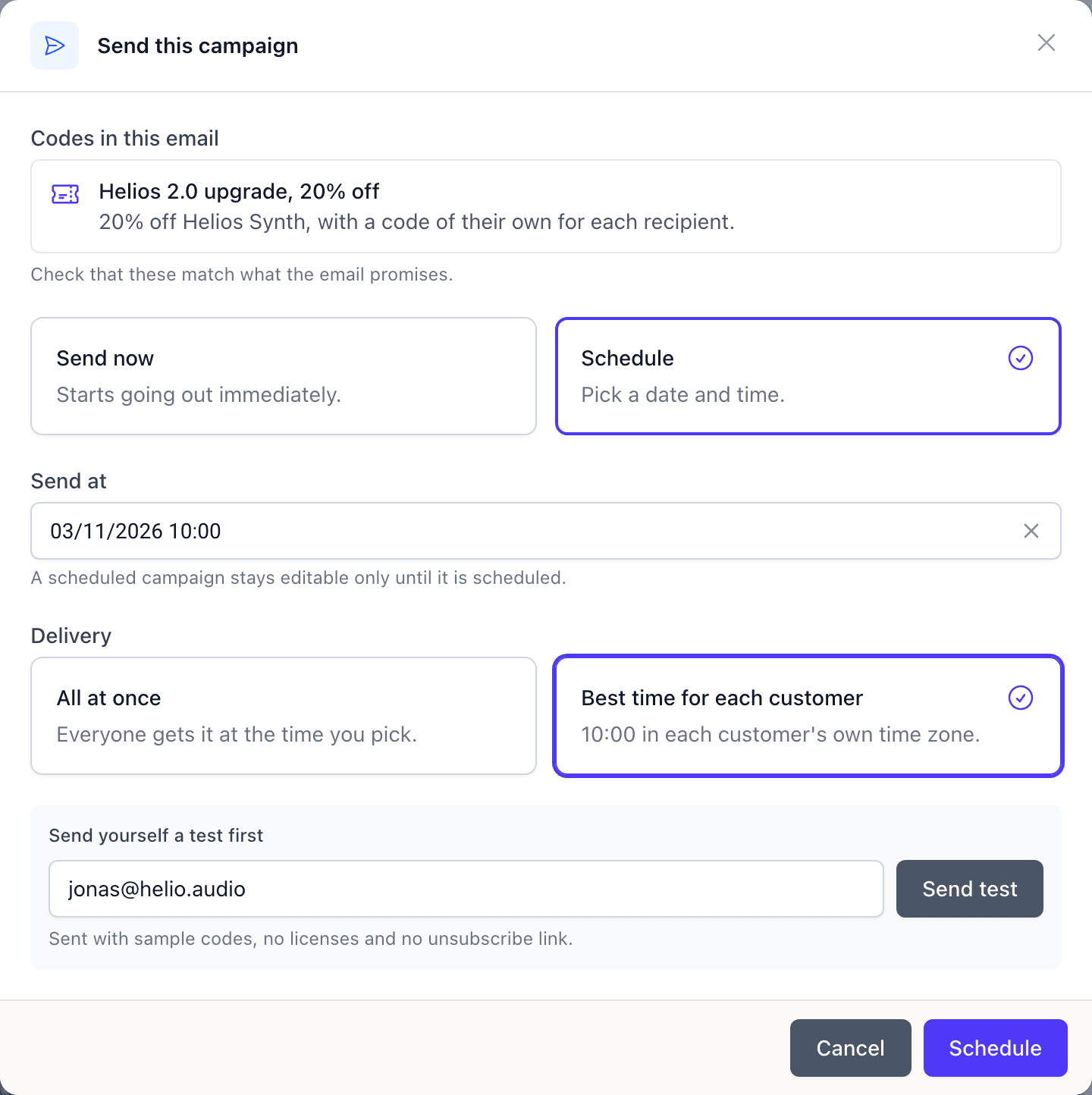
Customer segments
“How many Helios owners haven't opened it in two months and have spent at least €100? If it's over a thousand, save them as a segment.”
preview_rulecreate_groupchange_list_members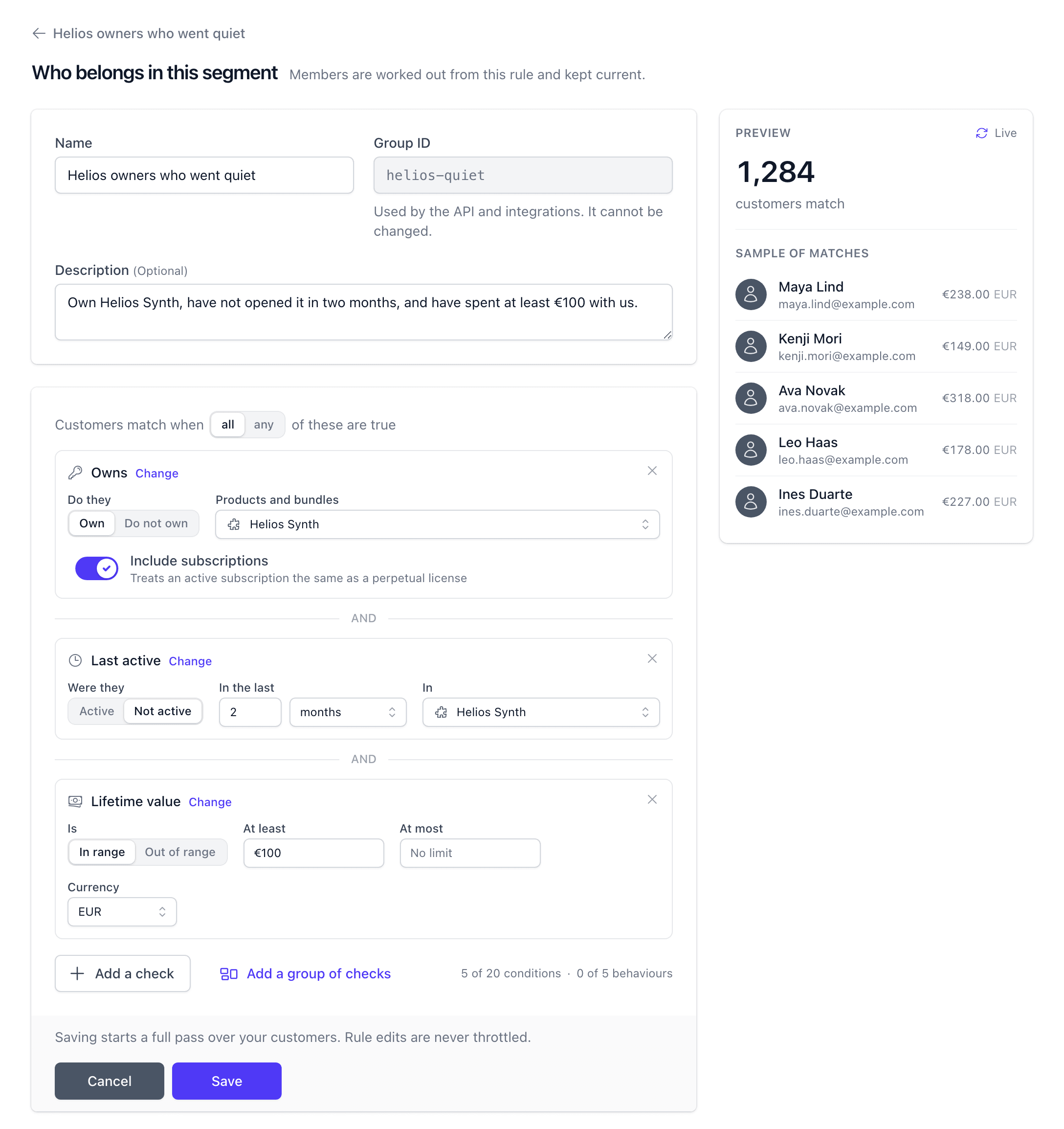
Automations
“When someone cancels a subscription, ask them why. Two weeks later, if they haven't come back, send them 30% off.”
create_automationpreview_automation_emailget_automation_stats get_automation_revenue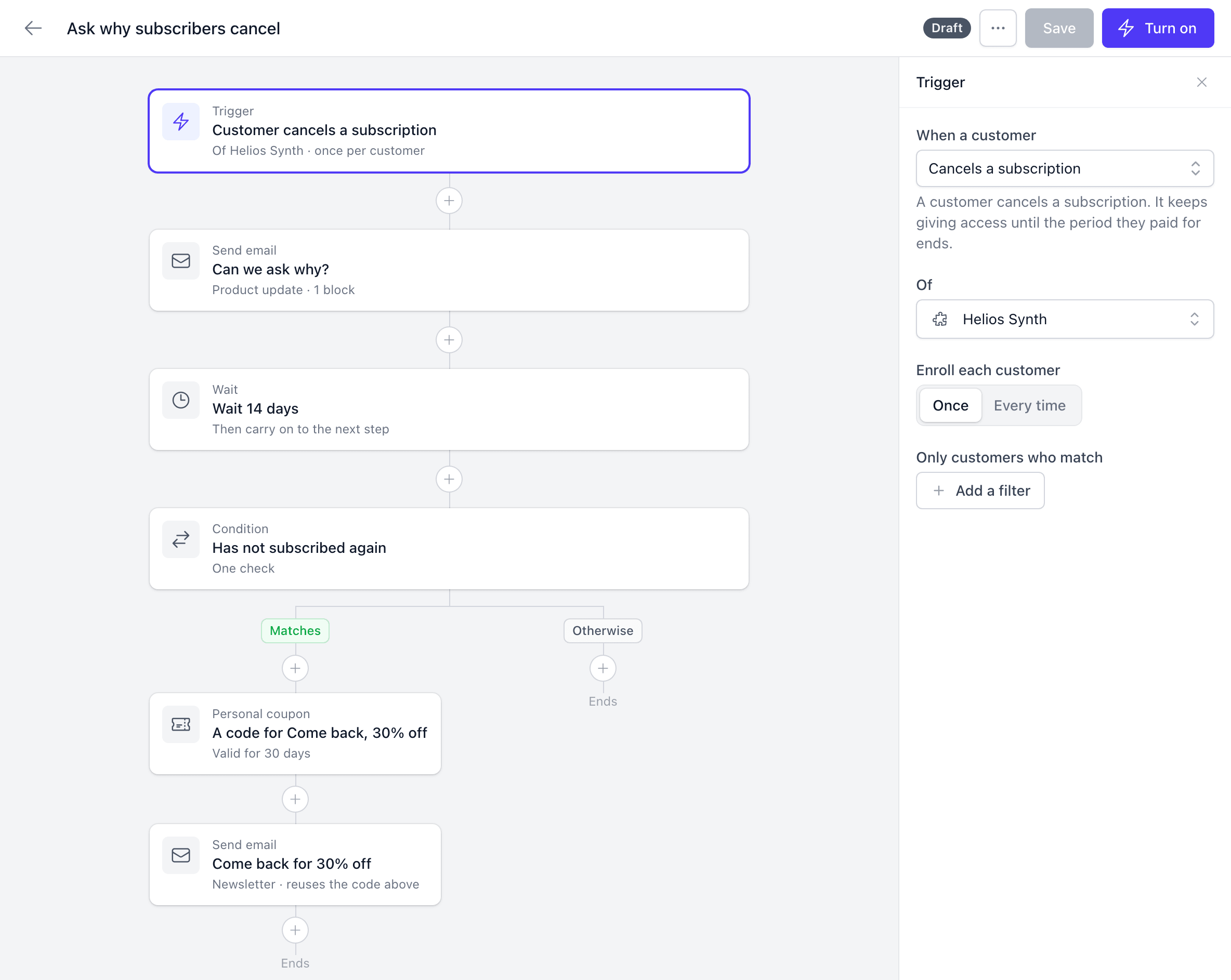
Three levels of access
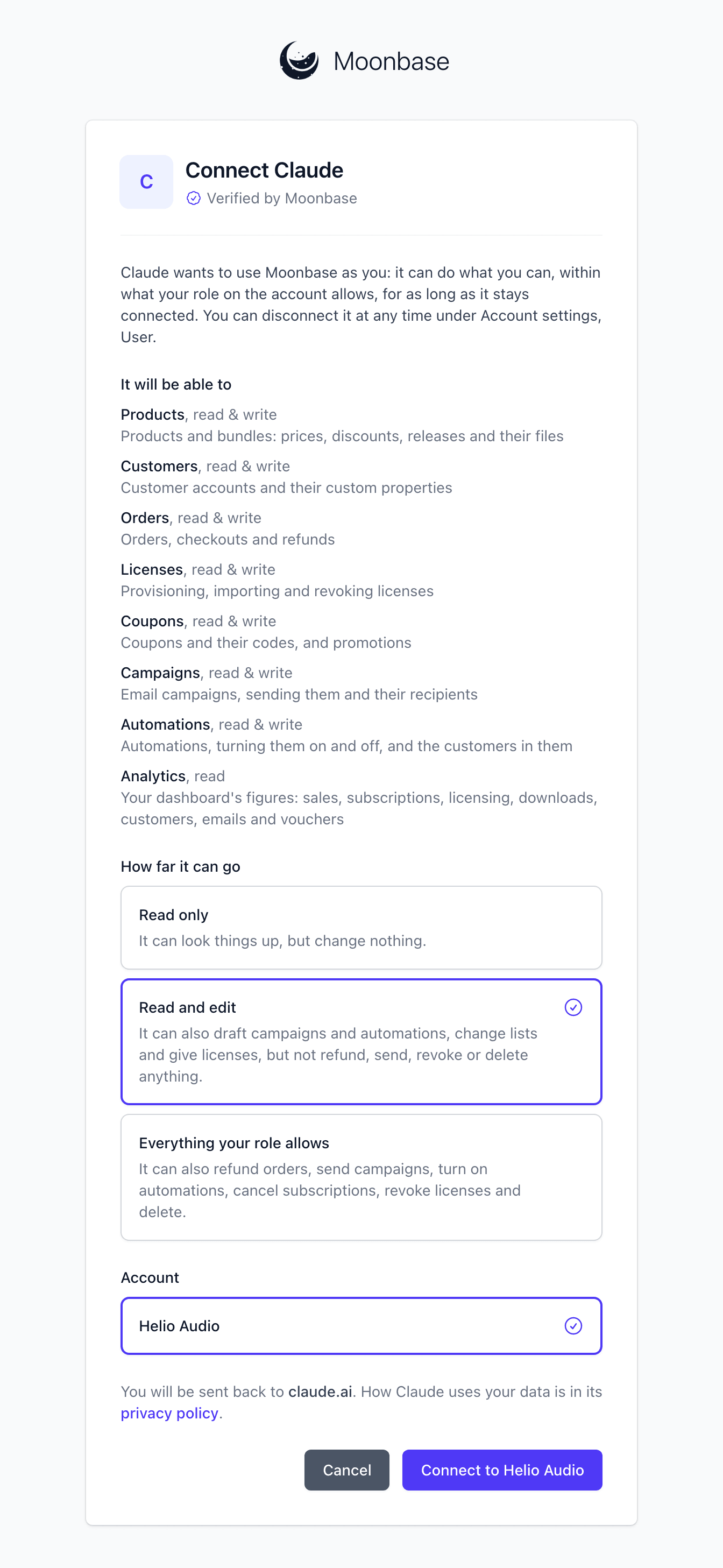
Everyone on your team connects an assistant for themselves. It can do what their role in the account allows at the time, and no more than they approved, and it stops when they leave the team. When you connect it, you choose how far it can go.
It can look things up, but change nothing.
Look things up
It can also draft campaigns and automations, change lists and give licenses, but not refund, send, revoke or delete anything.
Draft and prepare
It can also refund orders, send campaigns, turn on automations, cancel subscriptions, revoke licenses and delete.
Send, refund and delete
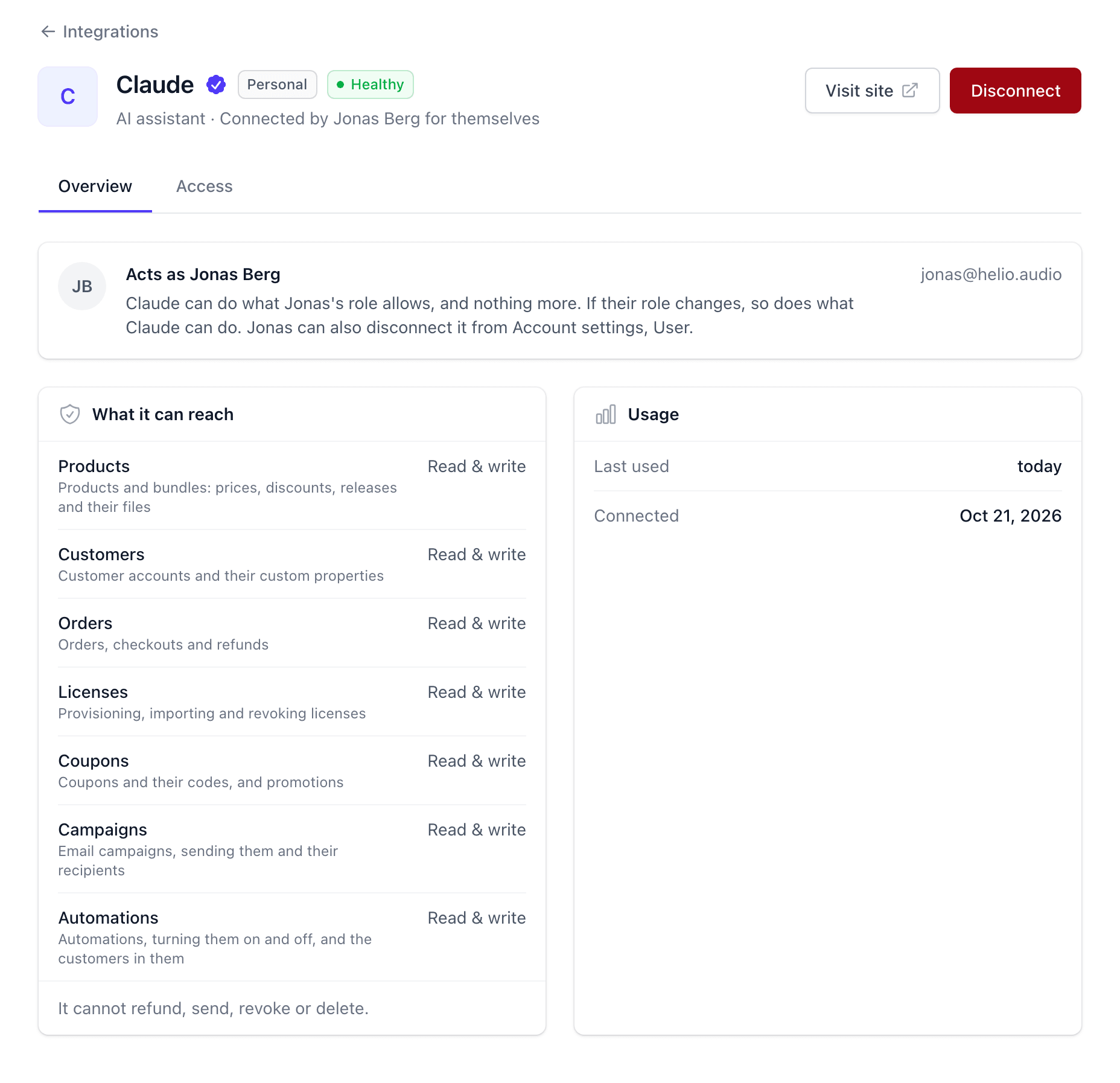
Answers from your own figures
The same connection reads your dashboard's analytics and the rest of your account. Ask how last month's launch went, which country is growing fastest or which devices a customer's license is on, and the answer comes from the numbers you see in Moonbase.
Moonbase runs an MCP server at https://mcp.moonbase.sh. Add it to any assistant that supports MCP connectors. There is no API key to copy: you sign in to Moonbase as yourself.
Step 01
In your assistant's settings, add a connector with the address https://mcp.moonbase.sh. Depending on the assistant, it is called a custom connector, an integration or an MCP server.
Step 02
Your assistant opens Moonbase. Sign in, choose the account and one of the three levels, and connect. Read and edit is the default.
Step 03
Start with something small, like who bought Helios Synth last week, and work up to campaigns and automations.
“As a solo indie dev, Moonbase has been one of the most valuable tools in my entire stack. I honestly don't know how I would've launched my plugin business without it.”

Moe Chaieb
time off audio · Read the letter
Any assistant that lets you add an MCP connector, such as Claude or Cursor. Add https://mcp.moonbase.sh as a connector (some assistants call it a custom connector, an integration or an MCP server) and sign in to Moonbase. Assistants that can show apps in the conversation draw email previews right there; others get the email's subject and text.
Not unless you let it. Connected with Read and edit, the default, it cannot send or schedule campaigns, turn on automations, refund orders, cancel subscriptions, revoke licenses or delete anything, so the campaigns and automations it writes stay drafts for you to look over in Moonbase. Those actions need "Everything your role allows", and even then Moonbase tells the assistant to say what will happen and ask you first.
No. It acts as you, within what your role in the account allows at the time and no more than you approved when connecting. A role change reaches it within a minute, and it stops working when you leave the team.
No. Anyone on the team can connect their own assistant, whatever their role, by signing in to Moonbase when the assistant asks. There is no key or token to copy. API keys are for your own systems.
Yes. It works with customers, orders, licenses, subscriptions, trials, coupons, campaigns, automations, lists and segments, and your figures, as far as the role of the person who connected it allows.
Under Account settings, User, where Connected apps lists the assistants you connected, what each can do and when it was last used. Disconnect stops one within seconds. People with the Developer role also see everyone's under Account settings, Integrations, and can disconnect any of them.
Works with any assistant that supports MCP
Create a free account, add mcp.moonbase.sh to your assistant and choose how far it can go. You can change that, or disconnect it, at any time.