NewNew in Moonbase
Automated emails for trials, purchases and abandoned checkouts
Pick a trigger, add the steps, and Moonbase runs them for every customer who qualifies: a welcome, a trial follow-up, a reminder about the cart they left. Each automation shows what it sold.
Triggers and steps
A trigger, then steps
Start with a customer action. Wait, check what happened, then send the right email.
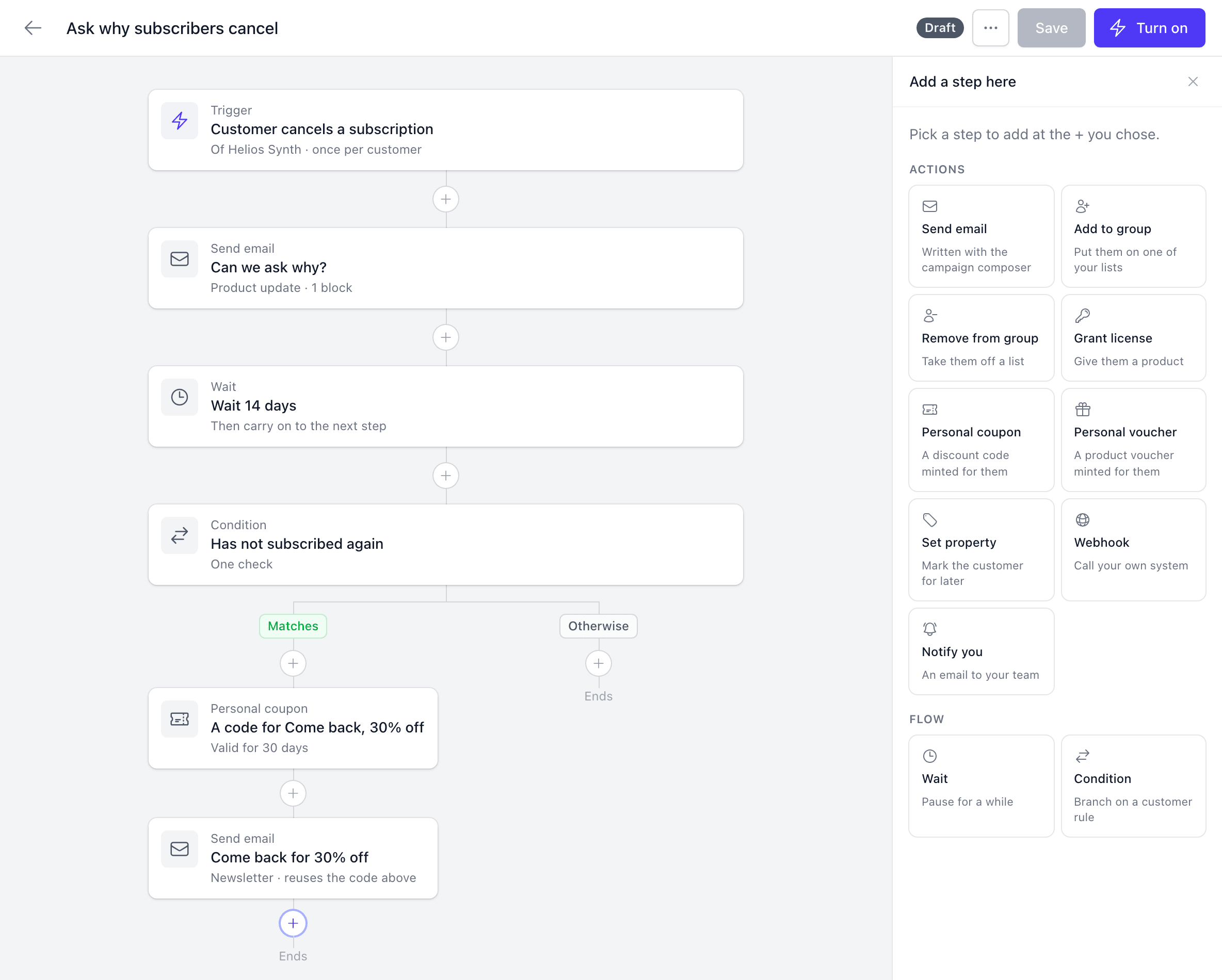
Win back subscribers
DraftTrigger
Customer cancels a subscription
Helios Synth · once per customer
Wait 14 days
Give them time to come back
Still not subscribed?
Continue only when this matches
Send a personal 30% offer
Create their code and email it
Make every follow-up personal
Add conditions, unique coupons and webhooks as the workflow grows.
Explore every trigger and step
- Conditions
- Branch on any rule a segment can use, on what a customer did since they entered, or on whether they opened the automation's last email.
- Licenses, coupons and vouchers
- Grant a license, or mint a coupon or voucher code for each customer and quote it in the next email.
- Webhooks and notifications
- Post the customer and what started the run to your CRM, Zapier or your own server as a signed webhook, or email your team.
- Sold through
- Narrow a purchase trigger to your own checkout or to one store that sells for you.
Templates
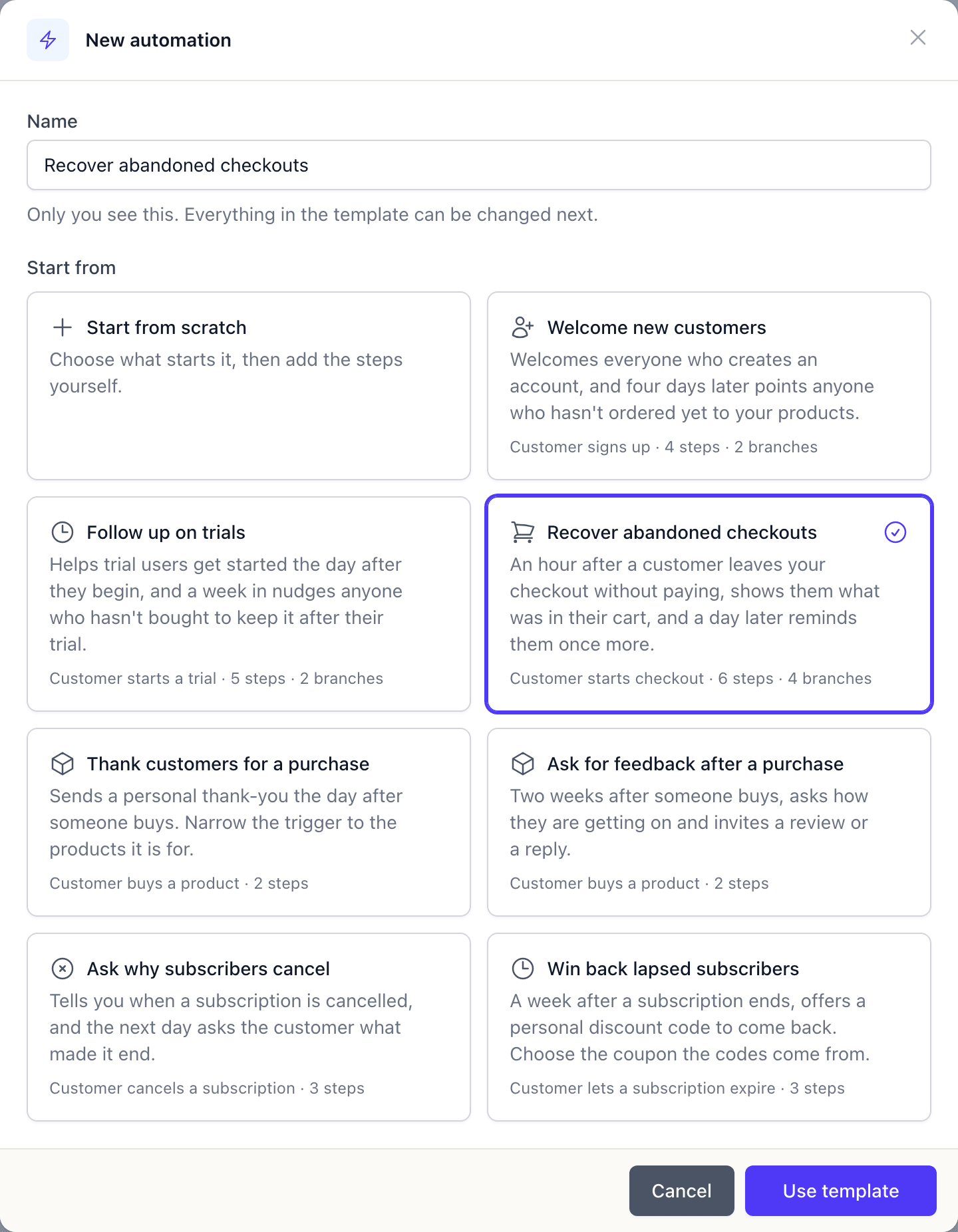
Seven templates to start from
Each template comes with its trigger, steps and emails in place. Change the words, then turn it on. Or describe what you want to an AI assistant connected to Moonbase, and look over the draft it writes.
- Seven templates, from a welcome to winning back lapsed subscribers
- Written to send as they are, with your logo, colours and name
- Buttons link to your website and customer portal
- Replies go to your support email
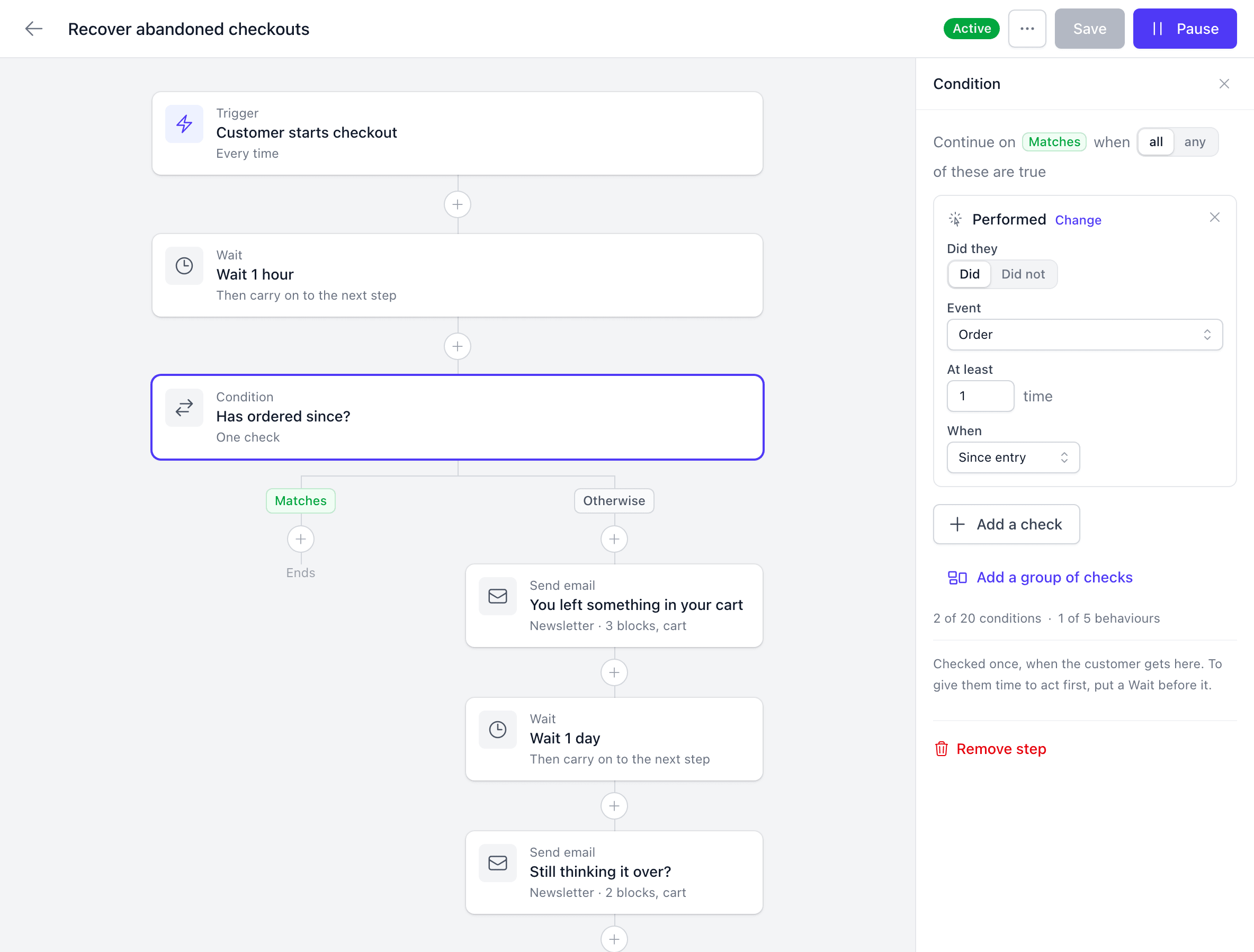
Abandoned checkouts
Bring buyers back to the cart they left
The “Starts checkout” trigger enrolls a customer the moment they reach your checkout. The template reminds them an hour later and again a day later, each time only if they haven't ordered since.
The email shows the cart they left, with a button straight back into that checkout. A buyer who corrects their email or signs in part-way is reminded as themselves, and every checkout paid after a reminder counts as Recovered.
It reaches buyers who are already your customers: signed in, or checking out with an email you know. A first-time guest becomes a customer when they pay.
Helio Audio to maya.lind@example.com
You left something in your cart

Still thinking it over?
Hi Maya,
You started checking out at Helio Audio but didn't finish. Your cart is saved, so you can pick up right where you left off.
Your cart
 Helios SynthPerpetual license149.00 EUR
 Glass FXPlugin29.00 EUR
Reports
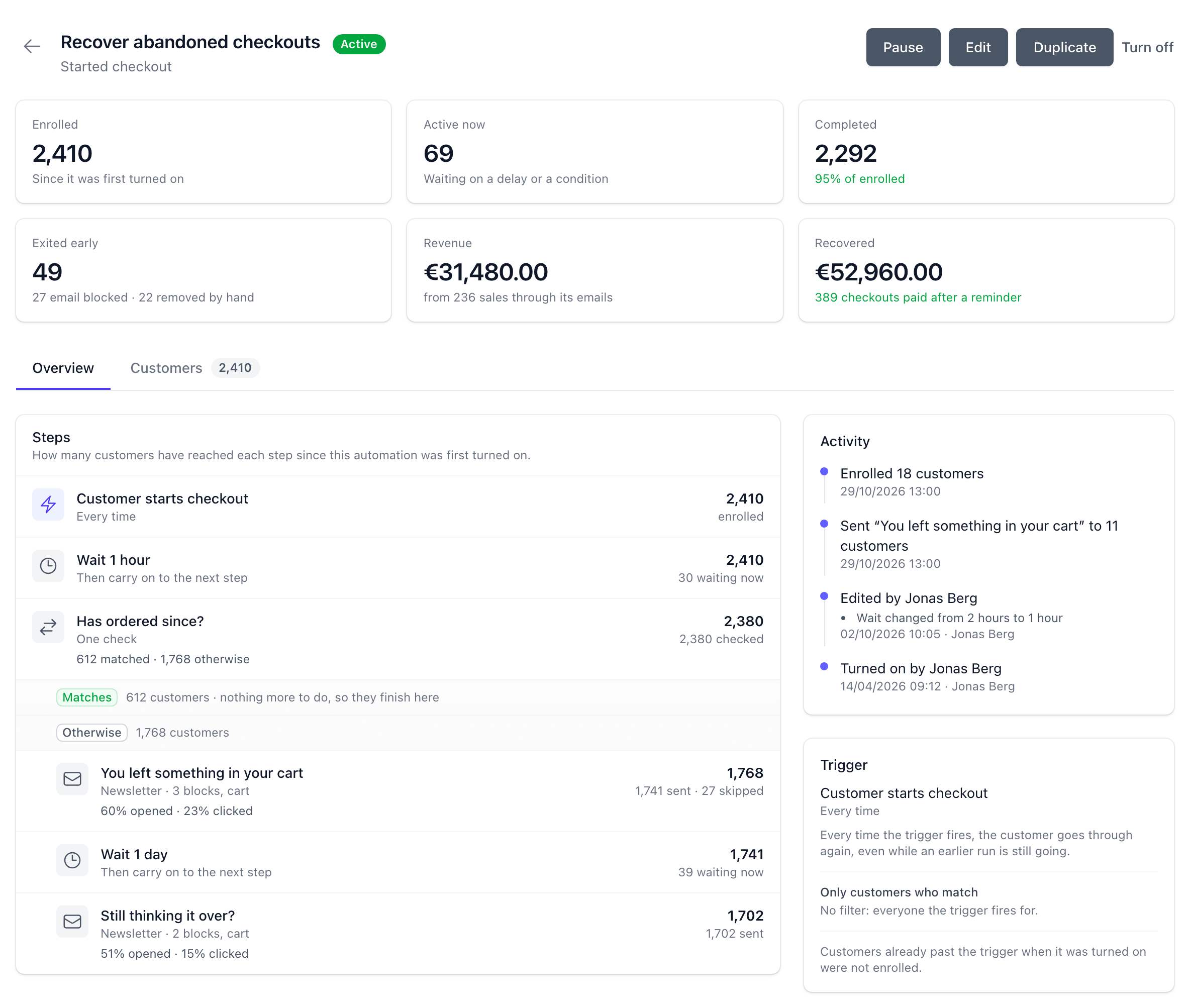
What each automation earned
Every automation has a report: who it enrolled, where they are now and what its emails sold.
- Revenue
- Sales in a visit that began from one of the automation's emails, counted the way a campaign's are.
- Recovered
- For “Starts checkout”, every checkout paid after a reminder went out, however the buyer came back.
- Every step counted
- How many customers reached each step, which way they went at each condition, and how many opened and clicked each email.
- Each customer's runs
- A customer's page lists the automations they are in, and you can add them or take them out.
Pricing
1,000 actions free, every month
An action is a step done for one customer: an email sent, a code minted, a license granted, a list changed or your team notified. Waits and conditions are never charged.
After that, each band only prices the actions inside it, and the price drops as you run more. Emails an automation sends count as actions, not as campaign emails. Every fee is on the pricing page.
| Automation actions in a month | Per 1,000 |
|---|---|
| First 1,000 | Free |
| 1,001 to 25,000 | €2.00 |
| 25,001 and above | €1.00 |
- 5,000 actions
- €8
- 25,000 actions
- €48
- 100,000 actions
- €123
What a month of actions costs. Estimate yours
“As a solo indie dev, Moonbase has been one of the most valuable tools in my entire stack. I honestly don't know how I would've launched my plugin business without it.”

Moe Chaieb
time off audio · Read the letter
Frequently asked questions
Customers the trigger fires for from the moment it is on. Customers who did the same thing before it was turned on are not enrolled, but you can add a customer by hand from their page.
You choose before you first turn it on: each customer goes through once, however often the trigger fires for them, or again every time it fires. A “Starts checkout” automation enrolls a customer at most once a day.
Customers who opted in to that kind of email, newsletter or product update, as with campaigns. Customers who haven't still go through the other steps, but get no email from the automation. You can send any of its emails to yourself or a teammate as a test before it goes live.
Automations are billed per action: something an automation does for one customer, such as an email sent, a code minted or a license granted. The first 1,000 actions each month are free, then €2.00 per 1,000 up to 25,000 actions and €1.00 above that. Waits and conditions are free, and emails an automation sends count as actions, not as campaign emails.
Yes. “Buys a product” and “Places an order” also start for sales recorded from another store. Their “Sold through” setting narrows them to particular channels, such as your own checkout or one store.
Yes. Customers and events keep syncing to Klaviyo, and its “Started Checkout” event carries a link back into that order's checkout, guests included, for your own abandoned cart flow.
1,000 actions a month free
Turn on your first automation
Pick a template, read through the emails and turn it on.