Renewals
Charged to the saved card when each monthly or yearly cycle ends.
- A billing anchor keeps the charge day from drifting
- An introductory first payment, then the renewal price
- A receipt for every renewal, and a reminder before yearly ones
Offer monthly plans or rent-to-own. Customers see their progress, and keep the plugin after their last payment. Moonbase handles renewals and licenses.
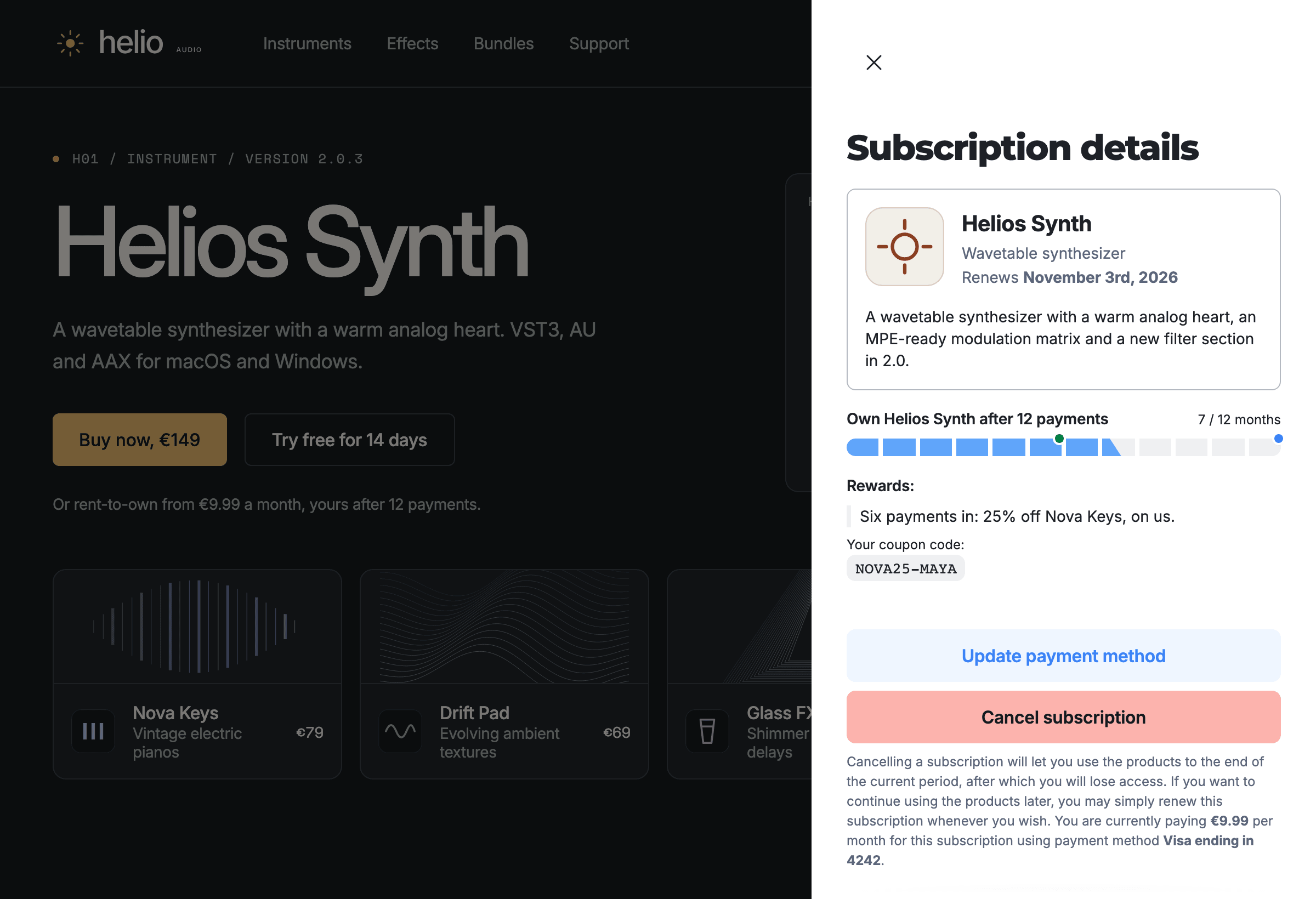
Subscribers own it after the last payment
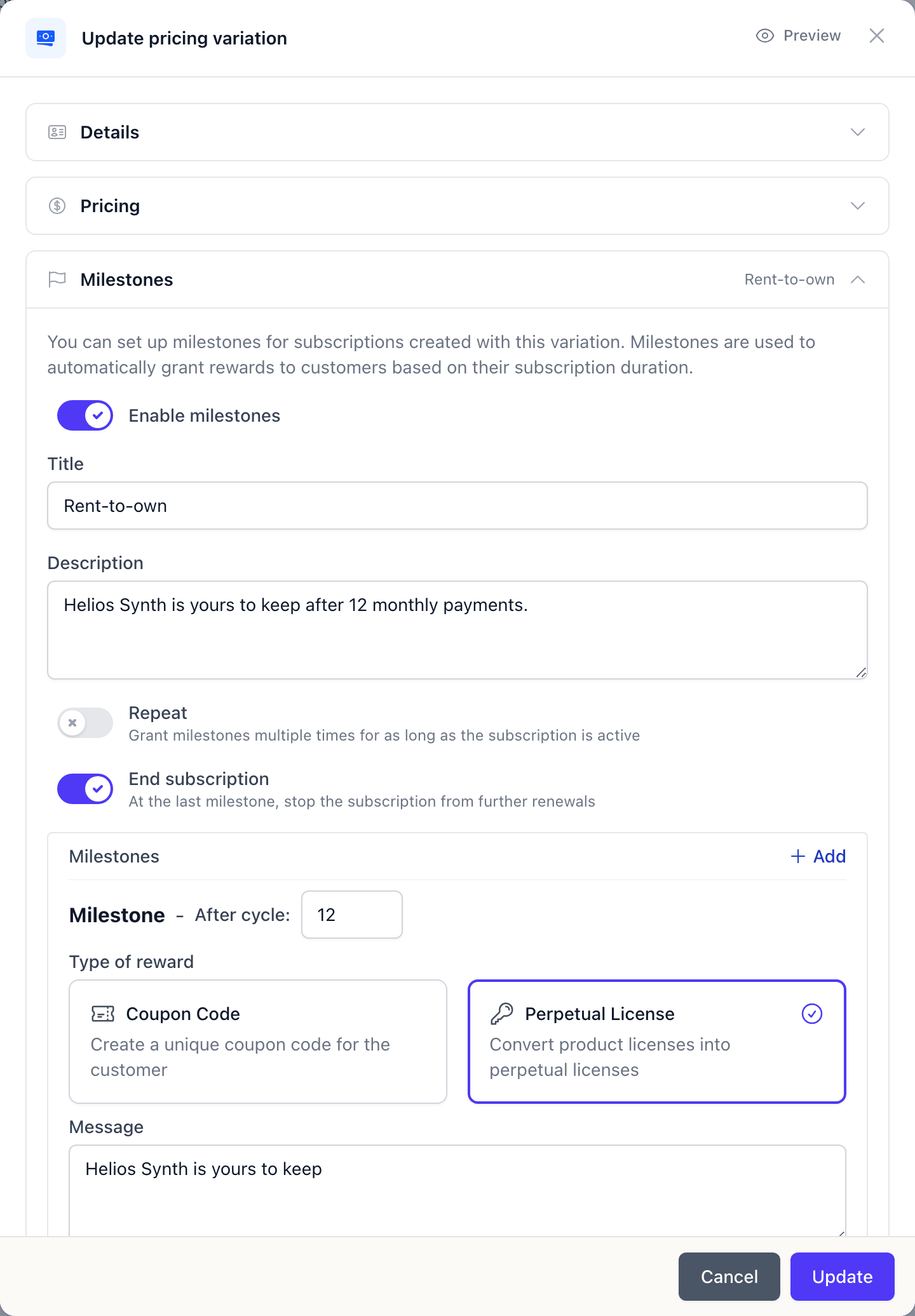
Turn on milestones for a monthly or yearly plan and reward subscribers after a number of payments, with a unique coupon code or by converting their license to perpetual. Rent-to-own is the default: perpetual after 12 payments.
Renewals, failed payments and licenses
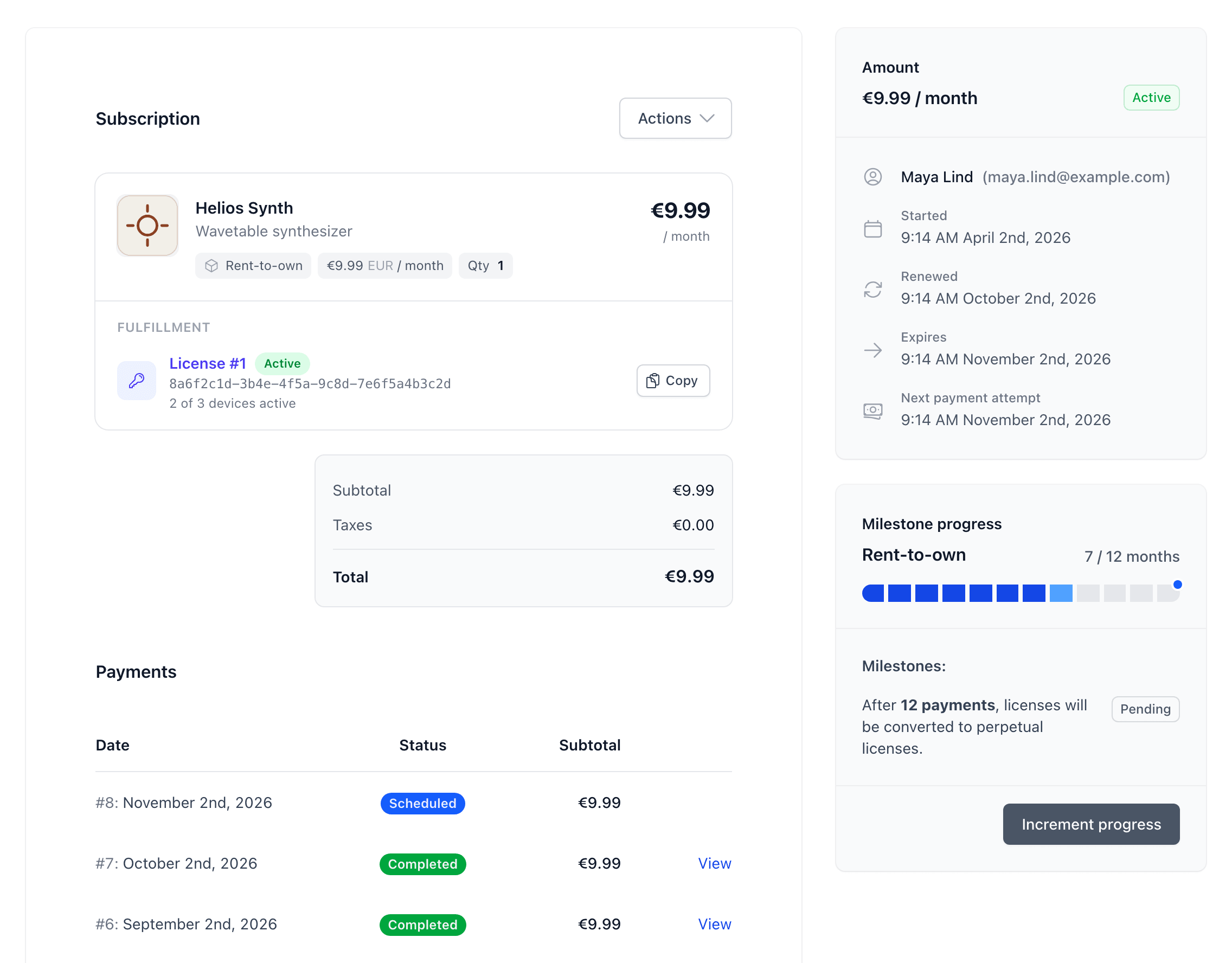
Moonbase is the merchant of record for every renewal: it charges the card, collects the tax and keeps each subscriber's license in step with what they have paid.
Charged to the saved card when each monthly or yearly cycle ends.
A subscription license stays valid while it is paid up, plus a grace period you choose.
The customer is emailed straight away with a link to add a payment method.
Subscribers manage it themselves
In their account on your own site, drawn by the embedded storefront, or in your customer portal, subscribers update their card, switch plan or cancel. You cancel, switch plan, upgrade or refund a payment from the subscription's page in Moonbase.
“Moonbase has been a game changer for Black Salt Audio. Their seamless integration allowed us to build a fully branded storefront and provide a frictionless, self-service licensing experience for our customers.”

Shawn Barnes
Black Salt Audio · Read the story
Plan switches, discounts and price changes
Pair a plan with upgrade prices and partial bundles, or win back subscribers who cancel or lapse with Automations.
Yes. Give the product several pricing variations, for example a one-off perpetual license beside a monthly or yearly subscription, and customers choose between them when they buy.
Turn on milestones on a monthly or yearly pricing variation. After the number of payments you set, 12 by default, the subscriber's license becomes perpetual and the subscription ends. You can also reward subscribers with a personal coupon code along the way.
Monthly and yearly, with an optional introductory first payment before the renewal price.
The subscription becomes Expired and the customer is emailed a link to add a new payment method. With a grace period set on the plan, Moonbase retries the saved card inside it and licenses keep working until it ends. Paying, or a successful retry, makes the subscription Active again.
Customers can switch to another plan of the same product, such as monthly to yearly, in your storefront or customer portal. The switch happens at the next renewal, with nothing charged now. Rent-to-own plans can't be switched, and pausing a subscription isn't available today.
Subscribers on yearly plans get a reminder before each renewal, 30 days ahead by default, or 7, 14 or 60 days if you prefer. Monthly plans don't get one.
Subscriptions
Add a monthly variation, turn on milestones and run a test subscription in demo mode before going live.