Tauri Plugin
tauri-plugin-moonbase adds Moonbase license activation to Tauri 2 apps, with a finished, themeable activation UI that presents itself whenever the app is locked. Register the plugin, and there is no frontend code to write.
The plugin is open-source under the MIT license, published on crates.io as tauri-plugin-moonbase, and developed at Moonbase-sh/moonbase-rs. It is built on the moonbase crate, and its activation UI comes from the same design as the JUCE module and the Electron SDK.
It supports:
- Browser-based activations, and offline activations by machine file
- Trials, with a days-remaining screen and an included-features list
- Startup validation, online re-validation and a configurable grace period
- Server-side deactivation, so users can free up an activation seat
- Add-ons, to try, buy and activate from inside the app
- Licenses that cover some versions, with an upgrade screen
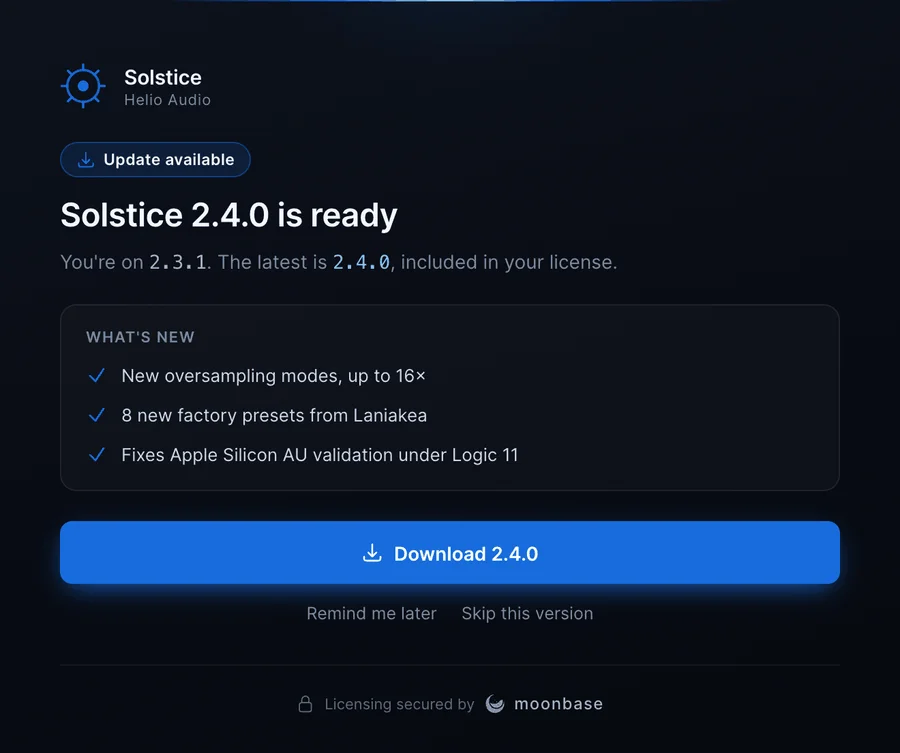
- In-app update notifications with release notes and an installer download
- A state and command API for the frontend, if you would rather build your own UI
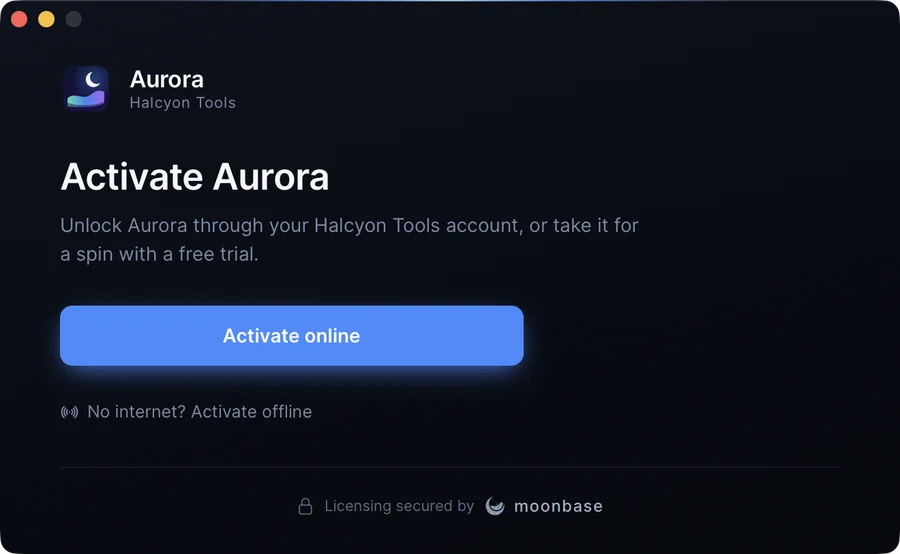
Here is the first thing a customer sees when they open an unlicensed app, with your own product name, logo and accent colour:
Requirements
- Rust 1.89 or newer (edition 2024)
- Tauri 2
- Windows, macOS or Linux
Installation
Add the plugin, and tauri-plugin-opener for opening the browser, to your Tauri app:
src-tauri/Cargo.toml
[dependencies]
tauri-plugin-moonbase = "0.1"
tauri-plugin-opener = "2"
Setup
Register the plugin with your account endpoint, product ID and RS256 public key. You will find all three in the Implementation guide for your product in the Moonbase app.
const PUBLIC_KEY: &str = include_str!("../moonbase-public-key.pem");

tauri::Builder::default()
    .plugin(tauri_plugin_opener::init())
    .plugin(
        tauri_plugin_moonbase::Builder::new("https://your-account.moonbase.sh", "your-product", PUBLIC_KEY)
            .build(),
    )
    .run(tauri::generate_context!())?;
moonbase:default grants every command an activation UI needs. moonbase:read-only lets a window show the license and open the activation window, but not change it. Register tauri-plugin-dialog as well to give the offline flow a native save dialog for the machine file.
The activation window
Brand the window with a UiConfig:
use tauri_plugin_moonbase::UiConfig;

tauri_plugin_moonbase::Builder::new(ENDPOINT, PRODUCT_ID, PUBLIC_KEY)
    .ui(UiConfig::new()
        .product_name("Solstice")
        .manufacturer_name("Helio Audio")
        .accent("#186cdc")
        .logo_svg(include_str!("../icons/logo.svg"))
        .trial_feature("Full DSP engine, unrestricted", true)
        .trial_feature("Use in commercial releases", false)
        .show_addons(true))
    .build()
Override any heading or body copy through strings, hide the Moonbase footer with show_moonbase_badge(false), or turn the built-in UI off with UiConfig::disabled() and build your own. To open the window from a menu or button, optionally on a particular screen:
use tauri_plugin_moonbase::{MoonbaseExt, Screen};

app.moonbase().present(Some(Screen::License))?;
The screens, all driven by the license state:
- Welcome. Activate online through the browser, or activate offline. Once the app has lost its license, it says why.
- Waiting for activation. The browser is open, with a link to copy if it didn't, and Cancel.
- Success. A confirmation with a mini license card.
- Offline activation. Save the machine file, then drop or pick the license file the customer got back.
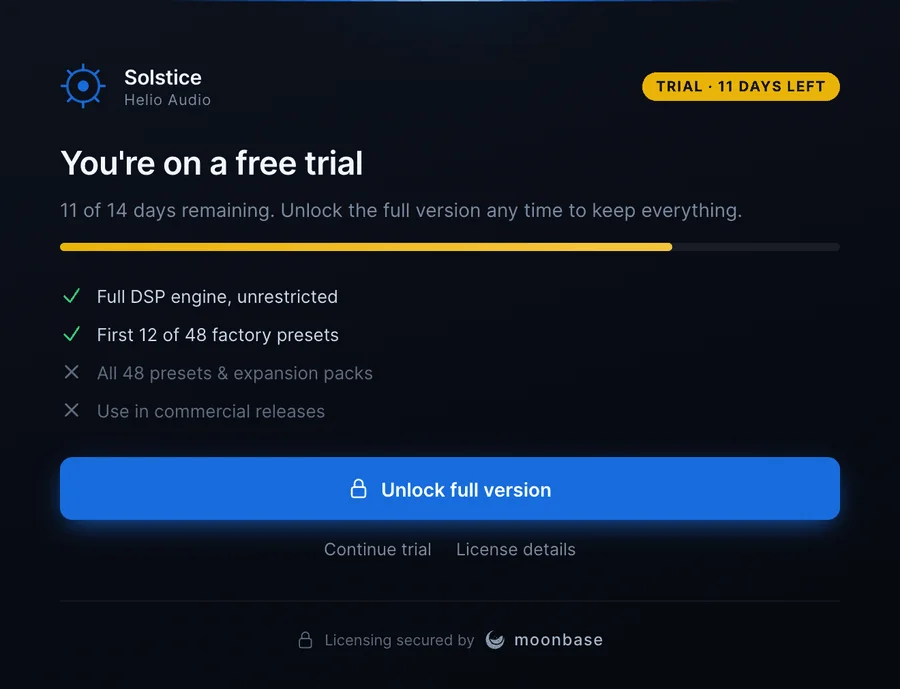
- Trial and Trial expired. Days left, the included and excluded features, and an unlock action.
- Upgrade needed. The license doesn't cover this version of the app. It says what the license covers, and offers the upgrade.
- License details. Who the license is issued to, the plan and expiry, the license ID with a Copy button, a seat counter, and a deactivate action that releases the seat server-side.
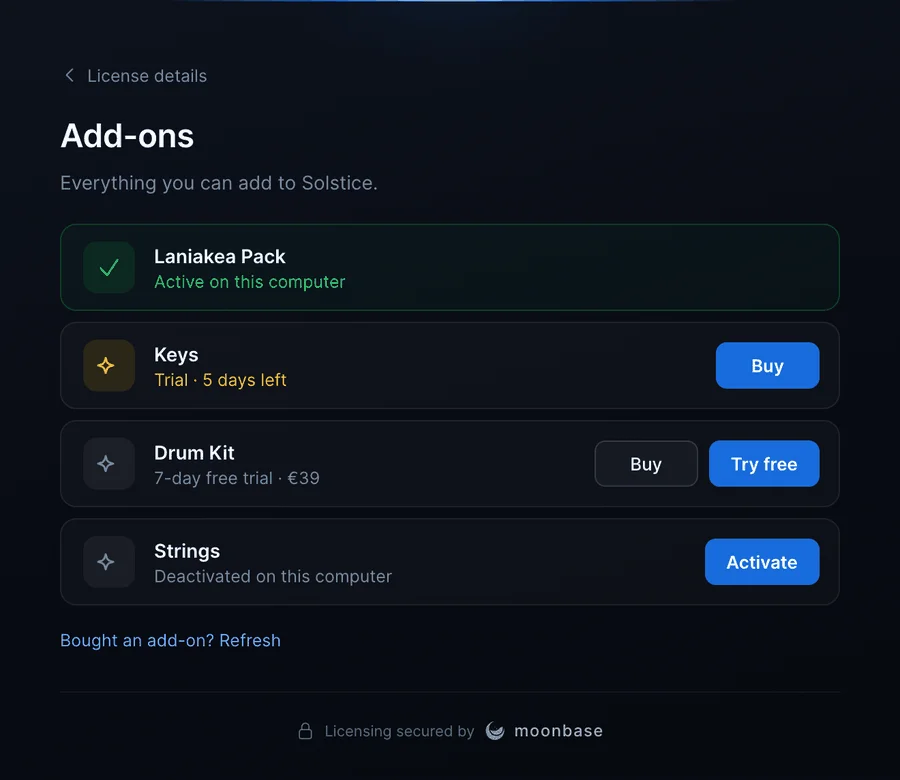
- Add-ons. The product's add-ons, each with a Try free, Buy or Activate action, when
show_addonsis on. - Update available. The release notes, and a Download button that saves the installer for this platform.
There is no separate "Start free trial" button: Moonbase starts trials in the same browser flow as purchases, so "Activate online" covers both.
Locking the app
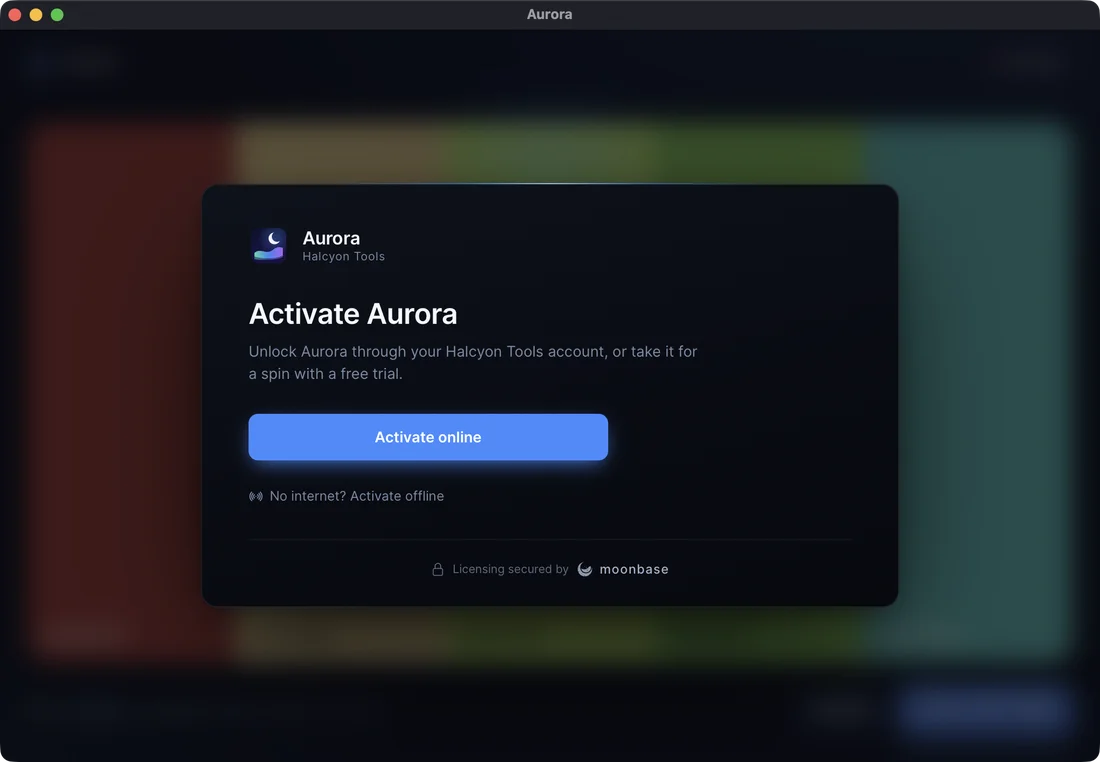
By default the activation UI opens in its own window and the app stays usable beside it, which suits an app with free features. To lock the app instead, present the UI as an overlay over one of its windows:
use tauri_plugin_moonbase::{Presentation, UiConfig};

.ui(UiConfig::new().product_name("Solstice").presentation(Presentation::overlay()))
The same screens then float over the app's content, which is blurred and inert behind them. While the app has no license the overlay can't be dismissed.
Gating in Rust
The overlay locks the interface, but greying out a button in the frontend is only presentation. Gate paid features in Rust, where the webview can't skip the check:
use tauri_plugin_moonbase::MoonbaseExt;

#[tauri::command]
async fn export(app: tauri::AppHandle) -> Result<(), String> {
    if !app.moonbase().is_licensed() {
        return Err("Exporting needs a license.".into());
    }
    // ...
}
is_licensed() is a lock-free flag, cheap enough to check anywhere. has_sub_product(id) says whether to unlock an add-on, license() returns the full moonbase::License for other entitlement checks, and licensing() returns the core SDK underneath.
Building your own UI
The plugin exposes its state and commands to the frontend, so you can replace the built-in UI or show the license state elsewhere in the app. With "withGlobalTauri": true the API is at window.__TAURI__.moonbase, and the plugin's guest-js folder has the same functions with TypeScript types for bundled apps:
const { moonbase } = window.__TAURI__

await moonbase.onStateChanged(state => render(state))
render(await moonbase.state())
state.status is one of loading, unlicensed, activating, licensed, trial, trialExpired or notCovered, and commands such as activate, activateOffline, refresh and deactivate move it along. The Tauri plugin guide lists every command and field.
Licenses that cover some versions
Licenses that cover only some releases are in beta, and are switched on account by account. Reach out to support if you'd like to sell them.
A license bought outright can cover only some versions of your app, such as 12 months of updates or every version up to 2.x. The plugin reads your app's version from tauri.conf.json, and when the license doesn't cover it, locks on the Upgrade needed screen. It keeps the license, since it still covers the versions it did, and offers the customer the upgrade.
In-app updates
When the license names a newer release than the running app, the Update available screen comes up at startup with the release notes and a download of the installer for this platform. "Skip this version" is remembered until a newer release ships.
Device identity
The plugin identifies the device the way the Rust SDK does, with the cross-SDK Moonbase device fingerprint. A license activated through any Moonbase SDK, such as an Electron app built on @moonbase.sh/electron or a JUCE plugin, validates in your Tauri app, and the other way round.
Sample app
Aurora is a small Tauri app in the repository whose export is a paid feature. It's wired to the public Moonbase demo account, so it activates out of the box:
git clone https://github.com/Moonbase-sh/moonbase-rs.git
cd moonbase-rs
cargo run -p aurora
AURORA_PRESENTATION=overlay cargo run -p aurora   # lock the app with the overlay instead
Releases and source
The plugin shares its version with the moonbase crate, follows semantic versioning, and is published to crates.io with a GitHub Release for every version. It stays at 0.x while the API settles, so a breaking change bumps the minor version (0.1 to 0.2), which Cargo already treats as incompatible.
The API reference is on docs.rs at tauri-plugin-moonbase, and the full plugin guide lives alongside the source.
The moonbase licensing crate for Rust, and the tauri-plugin-moonbase activation UI built on it.