Build a custom website with React
This guide builds a complete website for selling software with the Moonbase React SDK, with every screen your own: product pages and prices, the cart, sign-in and sign-up, downloads and free trials, activating a plugin, and an account area. Moonbase takes the payment, in its checkout, which opens over your page.
The example is Corino, a fictional maker of audio plugins, and its site is open source. It is a Next.js 16 app, live at corino-react.moonbase.sh against a demo Moonbase account. It sells two plugins, HALO and DRIFT, and a bundle of both, with a 14-day free trial of each. The Vue guide builds the same shop with Nuxt. Here, the snippets follow its React counterpart, with links to the files they come from.
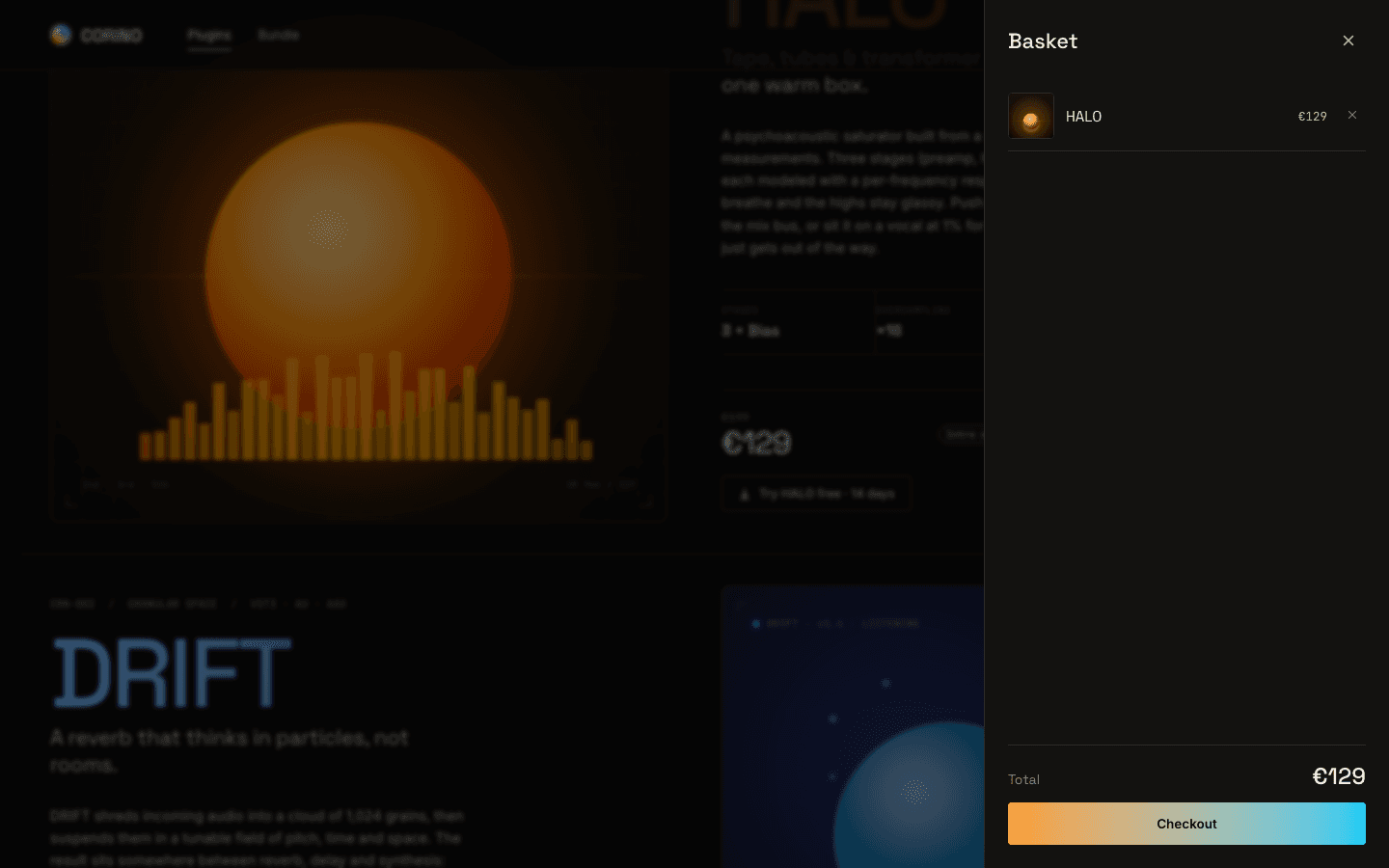
The Corino site: a Next.js 16 storefront on the Moonbase React SDK, against a public demo account.
If you'd rather not build the cart, account area and sign-in yourself, the embedded storefront draws them for you over your own pages. The React SDK reference covers the hooks used here and the rest of the API.
This guide uses getStorefront, fetchCatalog, the account data hooks, usePrice and useAttributionConsent, which need version 1.2.0 or later of @moonbase.sh/react.
Before you start
You need three things from your Moonbase account:
- Your account's address,
https://<account-id>.moonbase.sh. It is where the SDK loads your catalog from and signs customers in. Corino's ishttps://corino-demo.moonbase.sh. - Your product and bundle IDs, from each one's page in Moonbase. Corino's are
halo,driftandduo-bundle, set insrc/lib/config.ts. - Your site's address on the allow list, under Account settings > Storefront > "Domain configuration". Your store answers
localhostwhile you build, but no other address until you add it.
Moonbase sends customers links: to confirm their account, to reset a password, to download what they bought, and, from inside a plugin, to activate it. To have those links open your site, set the storefront mode under Account settings > Storefront to Custom integration and give the page for each. These are Corino's:
| Location | Page | It gets |
|---|---|---|
| Log in | /login | |
| Reset password | /forgot-password | email and code |
| Confirm account | /sign-up | email and code |
| Confirm email | /confirm-email | email and code |
| Confirm email change | /account/confirm-email-change | email and code |
| Activate in browser | /activate | token |
| Activate offline device | /activate | |
| Download product (optional) | /download | product_id, and version and key for one file |
| Manage subscription (optional) | /subscriptions | subscription_id |
While an optional location is empty, its links go to Moonbase's hosted customer portal. So does the optional Checkout location, for orders started elsewhere, which Corino leaves empty.
Install and connect
Add the SDK to your app. It works with React 18 and 19:
npm install @moonbase.sh/react
Corino's root layout fetches the catalog on the server, so the page goes out with real names and prices. src/lib/catalog.ts uses fetchCatalog and lets Next cache the response for an hour. If Moonbase can't be reached, it returns undefined, and the page shows its fallback prices:
src/lib/catalog.ts
import { fetchCatalog, type Storefront } from '@moonbase.sh/react'
import { moonbaseEndpoint } from './config'

export async function getCatalog(): Promise<Storefront | undefined> {
  try {
    return await fetchCatalog(moonbaseEndpoint, { fetch: { next: { revalidate: 3600 } } })
  }
  catch (err) {
    console.warn(`Could not fetch the catalog from ${moonbaseEndpoint}, rendering fallback prices`, err)
    return undefined
  }
}
The layout passes that catalog to Providers.tsx, a client component. getStorefront connects to your store, and StorefrontProvider makes it available to every hook below it:
src/components/Providers.tsx
'use client'

import { getStorefront, type Storefront, StorefrontProvider } from '@moonbase.sh/react'
import type { ReactNode } from 'react'
import { moonbaseEndpoint } from '@/lib/config'

export function Providers({ initialCatalog, children }: {
  initialCatalog: Storefront | undefined
  children: ReactNode
}) {
  const storefront = getStorefront(moonbaseEndpoint, { initialCatalog, persistUtm: true })

  return <StorefrontProvider storefront={storefront}>{children}</StorefrontProvider>
}
Corino also puts its own UiProvider inside this provider, to keep track of which drawer or modal is open. In the server layout, the connection is just:
const catalog = await getCatalog()
// Inside the layout's <body>:
<Providers initialCatalog={catalog}>{children}</Providers>
getStorefront gives back the same storefront every time in the browser and a new one for each render on the server. Its options only count the first time. Don't call createStorefront in a component, even in a useState initializer: React's Strict Mode can run it twice, leaving two storefronts following the same tab.
On the server, there is no signed-in customer and no cart. In the browser, the hooks first use that same server state, then switch to the visitor's cart, sign-in and freshly loaded catalog. Prices can change with the visitor's currency and what they own. StorefrontProvider also takes the hosted checkout's mb_* parameters off the address after Next's router hydrates.
In a React app without Next, make the storefront once in your entry module, before creating your router:
src/main.tsx
import { createStorefront, StorefrontProvider } from '@moonbase.sh/react'
import { createRoot } from 'react-dom/client'
import App from './App'

const storefront = createStorefront('https://<account-id>.moonbase.sh')

createRoot(document.getElementById('root')!).render(
  <StorefrontProvider storefront={storefront}>
    <App />
  </StorefrontProvider>,
)
Show products and prices
useProduct gives you a product from your catalog, with its prices, discounts and, for a signed-in customer, whether they own it. useBundle does the same for a bundle. Hooks return plain values, and render the component again when those values change. Each card on Corino's landing page is one PluginCard.tsx, given the product's ID:
import { useCartActions, usePrice, useProduct } from '@moonbase.sh/react'

const product = useProduct(productId)
const { addToCart } = useCartActions()
const { price, originalPrice } = usePrice(product?.defaultVariation)

// In the JSX:
<span>{price ?? fallbackPrice}</span>
A product's defaultVariation and variations are its pricing options. usePrice writes the chosen option's price in the visitor's currency, as the checkout does, with originalPrice and saving when it has a discount. Keep a price in your own words for the moment before the catalog arrives, and in case your store can't be reached.
useCartActions gives the card addToCart without reading the cart, so the card doesn't render again every time the cart changes. Use useCart where you need the lines or totals. Call hooks at the top of the component, before any early return; useProduct and useBundle accept null or undefined when there is no ID to look up.
What a customer owns changes what you offer them. The catalog is loaded again after they sign in, sign out or buy something, so product.owned follows on its own, and Corino's card swaps its button:
{product?.owned
  ? <button type="button" onClick={() => showDownloads(productId)}>Download</button>
  : <button type="button" disabled={!product} onClick={add}>Add to cart</button>}
Here add checks that product exists, calls addToCart(product), then opens the drawer with Corino's own showCart().
Pricing options
Corino sells one pricing option per product, its default. If you sell more, such as a monthly rent-to-own plan beside a perpetual license, find it in variations by its ID and put it in the cart with addToCart(product, variation). Read what the plan promises from the option itself rather than writing it on the page:
const variation = product?.variations?.find(variation => variation.id === 'rent-to-own')
const recurrence = variation?.recurrence
const payments = recurrence?.type === 'Recurring'
  ? recurrence.milestoneConfiguration?.milestones
      .find(milestone => milestone.type === 'PerpetualLicenseConversionMilestone')
      ?.afterCycleNumber
  : undefined
The cart
useCart is the cart: its items, addToCart, removeFromCart, and its totals. It is kept in the browser, so it survives a reload and a sign-in, and stays in step across tabs. Corino's cart is a drawer, CartDrawer.tsx, with a CartLine.tsx for each line:
import { formatMoney, useCart } from '@moonbase.sh/react'

const { items, total, checkout } = useCart()

// In the JSX:
<span>{formatMoney(total)}</span>
Each line has its product or bundle filled in from the catalog. total holds an amount and currency; formatMoney(total) writes both together. soldOutItems lists anything that has to come out before checking out.
Discounts and offers
Corino's React drawer shows a single total. For a fuller breakdown, the SDK also gives you breakdown: original at list prices, subtotal after discounts on single items, the cart offer's saving in cartOffer, and amount, the total the checkout starts from. Write these amounts with formatMoney(amount, breakdown.currency). Taxes are worked out in the checkout, from the buyer's billing address, which is also where coupon codes go.
Offers you set up in Moonbase come in two kinds. A cart offer discounts the whole cart once it qualifies, and the SDK attaches the best one for you. useCartOffer says which one applies and which one the cart is closest to, with how far it has to go:
const cartOffer = useCartOffer()
const next = cartOffer?.next
const remaining = next?.progress.unit === 'Money'
  ? formatMoney(next.progress.remaining, next.progress.currency!)
  : null
// next.progress.fraction is there for a progress bar
An item offer discounts one item when the cart holds others. useEligibleOffers gives the ones the cart qualifies for and doesn't hold yet; pass the chosen offer as the third argument to addToCart(item, variation, offer). useLockedOffers gives the spend-based item offers it is short of, with their progress.
When you offer a bundle in place of products already in the cart, pass { bundleBehaviour: 'replace' } as the fourth argument. It takes out included products sold on the same terms and puts them back if the bundle is removed:
addToCart(bundle, undefined, undefined, { bundleBehaviour: 'replace' })
These are additions you can make to the React drawer; the Vue guide's cart shows how the same shop presents offers.
Checking out
checkout() hands the cart to Moonbase's checkout. With redirect: 'auto', the default, it opens over your page on a computer and as Moonbase's own page on a phone, where Apple Pay and Google Pay work. Corino passes redirect: false, so it always opens over the page:
await checkout({ redirect: false, returnUrl: pathname })
Keep the button's pending state in useState, as Corino does, and clear it in finally. The promise settles when the overlay closes, which can be minutes later, so a transition left pending for it can hold back your router's transitions too. If you use a redirect, the call resolves with redirected: true; its completed: false doesn't mean the customer abandoned the order.
The cart empties once the order is paid for. To thank the customer, listen for the completed order. Corino does it in StorefrontEffects.tsx, mounted once in the root layout, and closes the drawer and the checkout:
const storefront = useStorefront()
const router = useRouter()

useStorefrontEvent('checkoutCompleted', () => {
  hideCart()
  storefront.closeCheckout()
  router.push('/order-completed')
})
checkoutCompleted also fires as the page loads again after the hosted checkout. useStorefrontEvent stops listening when its component unmounts. The same file handles Corino's ?add_product=halo and ?add_bundle=duo-bundle marketing links, adding the item and opening the drawer once the catalog has loaded.
Sign-in and accounts
useAuth has the signed-in customer, user, and everything around signing in. loaded turns true once the SDK knows whether anyone is signed in, so Corino's header holds back "Log in" until then rather than show it to a customer who is:
const { user, loaded } = useAuth()

{loaded && !user && <button type="button" onClick={showLogin}>Log in</button>}
{user && <Link href="/account">{user.name || 'My account'}</Link>}
Its sign-in modal calls signIn(email, password) and shows the error message on failure. The SDK keeps the session and renews its access token for you.
Signing up
Corino's /sign-up page is both the sign-up form and, opened from the email with email and code, the "Confirm account" page. Signing up can wait on the customer's email: when your store confirms addresses, signUp resolves with status: 'activation-pending' and Moonbase sends a link to your "Confirm account" page. An address that already has an account without a password (one made at checkout, say) throws PasswordSetupRequiredError, and Moonbase sends the same link: opened in the same browser, it sets the password they just typed.
const { signUp } = useAuth()

try {
  // The two `true`s: they accept the privacy policy and the terms
  const result = await signUp(name, email, password, null, true, true, newsletterOptIn)
  if (result.status === 'activation-pending')
    showCheckYourEmail()
  else
    router.replace('/account')
}
catch (err) {
  if (err instanceof PasswordSetupRequiredError)
    showCheckYourEmail()
  else
    setError((err as Error).message)
}
Say beside the button that signing up accepts your terms and privacy policy, with links to them: Moonbase hosts both, at https://<account-id>.moonbase.sh/terms-of-use and /privacy-policy. The server refuses a weak password with a message you can show as it is.
ConfirmAccount.tsx also confirms the code from the link. Most of the time that signs the customer in. For an account that still has no password, opened in another browser say, it comes back with a token to set one:
const result = await confirmAccount(email, code)
if (result.status === 'PasswordSetupRequired') {
  // Ask for a password, then:
  await resetPassword(result.email, password, result.resetPasswordToken!)
  await signIn(result.email, password)
}
forgotPassword(email) sends the link to your "Reset password" page, which calls resetPassword(email, newPassword, code). Corino's /forgot-password does both, depending on whether the link's parameters are there. confirmEmail and confirmEmailChange finish the other two links. The confirmation calls share an in-flight result for the same email and code, so React running the effect twice in development doesn't redeem a one-use code twice.
Keeping the account area for customers
Corino's account pages share AccountShell.tsx, through src/app/account/(tabs)/layout.tsx. It shows the tabs to a signed-in customer and a sign-in button to anyone else, once loaded says which it is:
const { user, loaded } = useAuth()

if (!loaded)
  return <p>Loading…</p>
if (!user)
  return <button type="button" onClick={showLogin}>Sign in</button>

return <>{children}</>
Pages that read the address with useSearchParams sit inside a Suspense boundary, so Next can prerender their shell and the browser fills in the rest. /account/confirm-email-change is outside the tabs, with its own confirmation page. When you send a customer on after signing in, take only paths on your own site from a redirect parameter, so a link can't send them elsewhere.
Downloads and free trials
Corino's ProductDownloadModal.tsx serves two purposes. "Try HALO free" takes the public files from the catalog product, which works before anyone signs in. "Download" for an owned product uses useOwnedProduct, which loads the customer's files:
const catalogProduct = useProduct(request && isTrial ? request.productId : null)
const owned = useOwnedProduct(request && !isTrial ? request.productId : null)

const downloads = isTrial ? catalogProduct?.downloads : owned.data?.downloads
Both hooks are called on every render; a null ID asks for nothing. owned.loading and owned.error give you the request's state. An owned product's downloadsAllowed is Moonbase's verdict on access to that release; if it is false, the downloadsNeedsUser, downloadsNeedsOwnership and downloadsNeedsGroupMembership flags say what to explain. Use that verdict for restricted files.
DownloadList.tsx puts files for the visitor's computer first with sortDownloads(downloads, platform), where platform comes from visitorPlatform(). describeDownload(download) writes labels such as "macOS, Apple Silicon (27 MB)". A click calls useInventory().downloadProduct(download), which opens the download with any authentication it needs.
The "Download product" links Moonbase sends open /download with a product_id. Corino sends a signed-in customer on to that product's page in their account, where the same downloads are, and asks anyone else to sign in. Downloading an installer and starting its trial are separate: the plugin opens the activation page when it needs a trial or license.
Activating in the browser
When a plugin activates, it opens your "Activate in browser" page with a token. useActivationRequest follows that request: which product it is for, whether the customer has a license that can take another computer, and whether they can start a trial. It asks again when the customer signs in, and notices when the plugin has picked up the result:
const {
  activationRequest,
  loading,
  error,
  fulfilling,
  completing,
  isInstalled,
  fulfillLicense,
  fulfillTrial,
} = useActivationRequest(token, { autoFulfill: true })
Corino's activation/AutoActivation.tsx passes autoFulfill: true to activate as soon as the signed-in customer has a license with a free seat. The SDK tries once per request and leaves a failure in error; fulfillLicense() retries it. Without that option, put fulfillLicense() behind your own button.
Otherwise, the page offers what the customer can do: buy the product, sign in to use a license, free up a seat, or start the trial when trialEligibility.eligible. If trialEligibility.requiresAccount, ask them to sign in first. If it requires newsletter consent and they haven't already given it, show a required opt-in and pass its value to fulfillTrial(newsletterOptIn). completing means the SDK is waiting for the plugin to pick up the license, and isInstalled means it has.
The same page without a token is Corino's "Activate offline device" page. A plugin on a computer without internet saves a machine file, which activation/ManualActivation.tsx sends with useInventory().activateProduct(machineFile, ActivationMethod.Offline). It returns the license, and a url for the license file to take back to that computer.
The account area
Corino's account area has four tabs, each a page under src/app/account/(tabs)/ that renders one component from src/components/account/:
| Tab | Component | Calls |
|---|---|---|
| Account | Info.tsx | useAuth().update(name, email, undefined, { newsletterOptIn, productUpdatesOptIn }), setPassword(current, new), signOut() |
| Products | Products.tsx, ProductDetail.tsx | useOwnedProducts(), useOwnedProduct(id), useProductActivations(id), useProductLicenses(id), then useInventory().downloadProduct and revokeActivation |
| Purchases | Purchases.tsx | useOrderHistory() and useOrders().downloadReceipt(order) |
| Redeem | Redeem.tsx | useVoucher().redeem(code) |
A changed email waits on a link to your "Confirm email change" page, which the result of update says as needsEmailConfirmationToken. useVoucher also has peek(code), to say what a voucher gives before redeeming it. Revoking an activation frees up a seat for another computer; Corino then calls reload() on both the activations and the product, where the seat count lives.
The account hooks load for whoever is signed in, and again when that changes. Each returns { data, loading, error, reload }, and lists add hasMore and loadMore, with data holding every page loaded so far. Coming back to a tab shows its previous data at once and refreshes it in the background.
Purchases.tsx lists what they've bought, newest first, and downloads each order's receipt. These are the parts a purchase list needs:
const orders = useOrderHistory()
const { downloadReceipt } = useOrders()

// For each order in orders.data:
// formatMoney(order.total.due)
// await downloadReceipt(order)

{orders.hasMore && (
  <button type="button" disabled={orders.loading} onClick={orders.loadMore}>
    Show more
  </button>
)}
Show error and a way to retry with reload, as well as the loading and empty states. reload and loadMore put failures in error and keep any data already shown. If you use the lower-level useOrders().getOrders() instead, pass each page's next back until it is null; a short or empty page doesn't mean the list has ended.
If you sell subscriptions, useSubscriptions() and useSubscription(id) load them, and useInventory() has cancellation, renewal, plan changes and payment-method updates. Corino doesn't, so its "Manage subscription" page only loads the one in the link with useSubscription(id).
A newsletter sign-up
useCommunicationPreferences().subscribe signs anyone up, signed in or not. Corino's footer passes just the email:
const { subscribe } = useCommunicationPreferences()

const { status } = await subscribe({ email })
// 'subscribed', or 'confirmation_sent' when your store asks subscribers to confirm by email
Show both outcomes: with double opt-in on, nearly every sign-up ends in confirmation_sent. subscribe also takes a name, newsletter and productUpdates, and the IDs of customer lists to join in groupIds, ones you've opened to sign-ups in Moonbase.
Ad attribution and cookie consent
The SDK picks up the UTM tags, referrer and ad click IDs a visitor arrives with, and sends them with the cart, checkout and sign-up, so a sale can be put down to the campaign that brought it (UTM tracking covers what you get from it). A click ID identifies the visitor's click, so the SDK keeps one only once the visitor has agreed to marketing cookies, and follows your store's "Ad and campaign tracking" setting until you tell it their answer.
Corino asks with its own CookieBanner.tsx. useAttributionConsent gives it the visitor's remembered answer and whether they have to be asked:
const { required, answer, setAnswer } = useAttributionConsent()
const open = cookieSettingsOpen || (required === true && answer === null)

// On a choice:
// setAnswer(true) or setAnswer(false)
required is undefined until the browser has loaded the catalog for this visitor: the server's catalog describes where the server is. setAnswer remembers the answer in the browser and the storefront starts from it on the next visit. Corino's footer also lets anyone reopen the banner and change their choice. If your site already has a consent manager, call storefront.setAttributionConsent(granted) from its marketing-consent callback instead; that call leaves remembering the choice to your consent manager.
Going live
- Add every address the site is served from, staging included, under Account settings > Storefront > "Domain configuration".
- Set the storefront mode to Custom integration, with your pages, so emails and plugins link to your site.
- Set
NEXT_PUBLIC_MOONBASE_ENDPOINTto your account's address, and replace the product and bundle IDs insrc/lib/config.ts. - Have your host answer every path, so a link to
/activateor/forgot-passwordloads. Corino runs on Vercel with Next's defaults and hourly catalog revalidation; any host that runs Next.js can serve it. For a browser-only app, configure your host to serve the app'sindex.htmlon its routes. - If your site sets a Content-Security-Policy, allow
https://<account-id>.moonbase.shinframe-srcfor the checkout. - If you turn on Captcha under Account settings > Storefront > Features, your own sign-up and newsletter forms need to draw it and pass the solution as
captchaToken. The SDK doesn't draw a captcha for you. See Sign up in the Storefront API.